Early Adopters Sale - and FREE STUFF! — 30% off all plugins! Shop Now →
Back to All Products

Advanced Lens Blur v01

Easily Add Beautiful Bokeh and Evocative Lens Effects.

$45 $32 /year

Save 30% - 14 day free trial included

Try Free Purchase
Effect: Advanced Lens Blur v01
Platform: Windows, macOS, Linux
Host: DaVinci Resolve (OpenFX)
Category: Effects
License: Single machine, not transferable
Documentation: View Docs →
Tutorials: 12 Videos →

High end photographic lens simulation, designed by professionals to add emotional weight to your imagery.

Use these effects to add romance and style to your work, with beautiful bokeh effects. Simulate real optical phenomena, including cat's eye bokeh, the sought after "swirly bokeh" effect which is seen on rare antique soviet era lenses, and more. Designed to be used in Resolve's color page, so you can quickly enhance your shots as you develop your looks, but works just as well in the timeline, and fusion.

Use custom bokeh kernels for additional realism, or the instant "animated occlusion" presets, to make that long-lens, voyeuristic look.

Adjustable sample rates for highest quality, artifact free renders, or "draft modes" for fast response to help keep in the creative flow.

Gallery — Click to enlarge

Features

High Quality Bokeh effects - easily.
Simulate "swiry bokeh" as seen in antique soviet era Petzval lenses
"Cat's eye" bokeh shapes; The football shaped bokeh that you sometimes see with real lenses, when the lens hood is long.
Falloff curves - where the central area is in focus, but the periphery is blurred.
Easily changed and animated Optical Center, to guide your audience's eye to where YOU want them to look.
GPU accellerated for great performance.
Adjustable sample rate for highest quality, or use draft modes for fast interactivity.
Custom Kernels let you use your own lens textures to add more photographic realism.
Custom Focus Falloffs; You can make your own falloff shapes, for impossible split-focus effects, or simply to guide your viewer's eye with greater detail.
Designed to be used in Resolve's Color page, so you can quickly enhance your shots as you develop your looks. Works great in the timeline, and Fusion too.

Screenshots — Click to enlarge

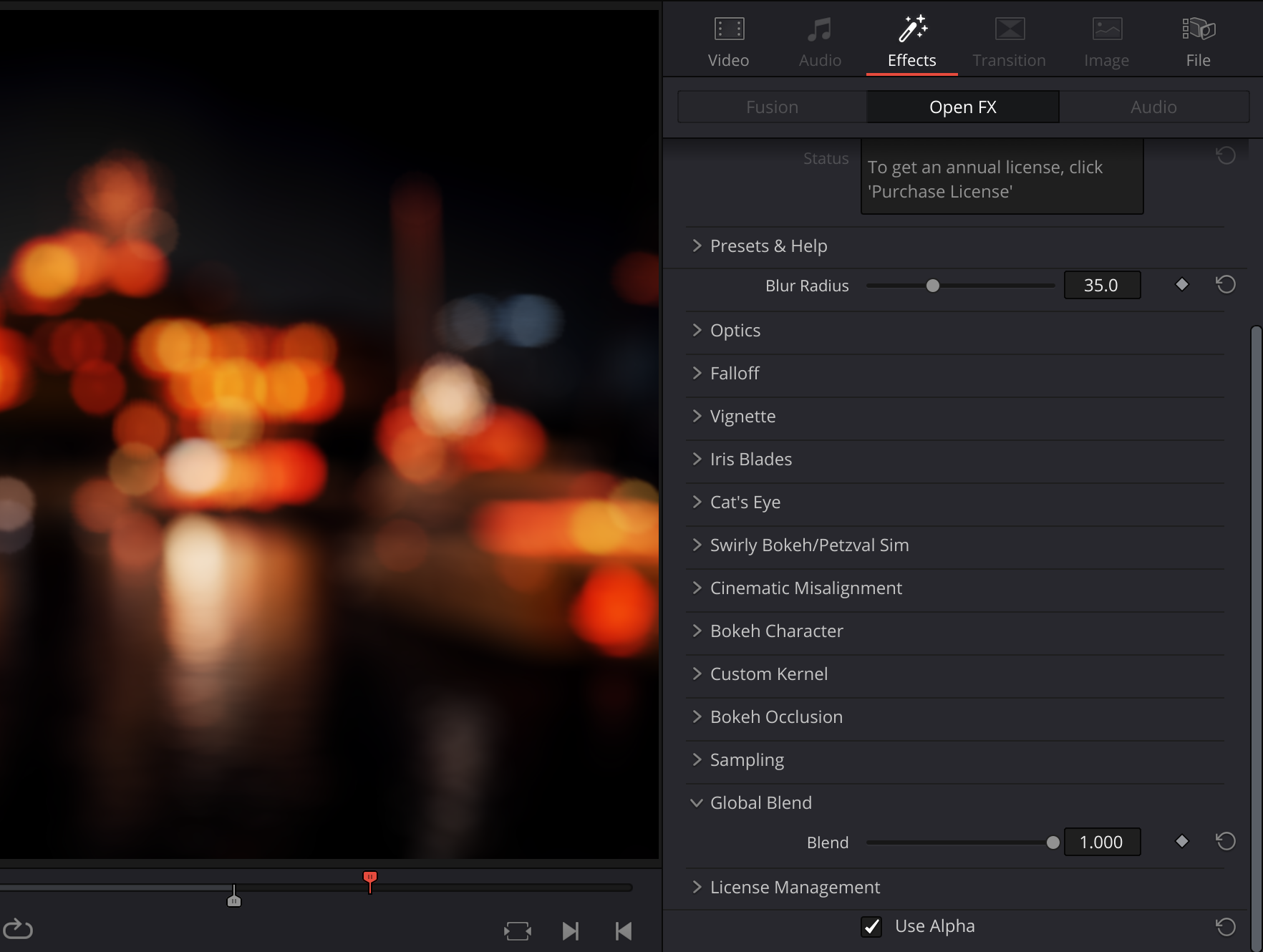
Advanced Lens Blur v01 UI Screenshot

Ready to get started?

Try Advanced Lens Blur v01 free for 14 days. No credit card required.

Download Free Trial Purchase - $45 $32/year