Liquid Feedback
Bring your videos to life with evolving, swirling trails inspired by the legendary Quantel and Fairlight video synthesizers of the '80s
Version 1.1.1 · Released 2026-09-24
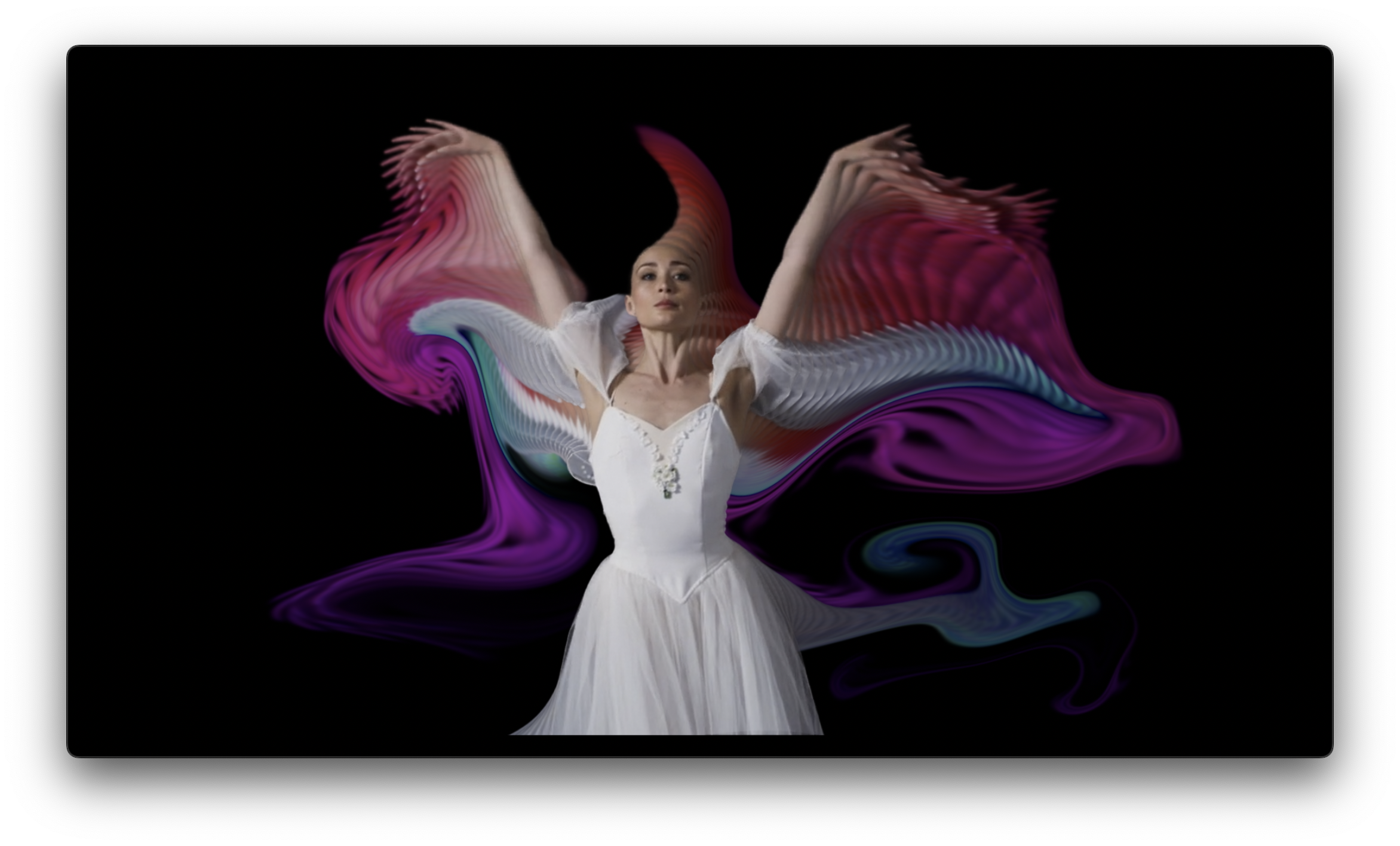
Liquid Feedback builds flowing, painterly feedback trails that evolve frame to frame - a true accumulation effect: what you see depends on the frames rendered before it. That power comes with two host-specific notes:
IMPORTANT - After Effects Users: turn OFF "Enable Multi-Frame Rendering" (Preferences > Memory & Performance) while using this effect;
To avoid jumps and pops in the trail effect, before each run:
1) Rewind the Playhead to the beginning of the comp.
2) Click "RESET ACCUMULATION" before you hit play or render.
This effect is an "accumulation" effect - and each frame depends on the previous frame being rendered IN SEQUENCE. Since AE caches frames regardless of being in sequence, clicking Reset Accumulation clears the render cache before the run, which ensures the frames are rendered in sequence.
IMPORTANT - Premiere Pro: live previews may jump and pop while you tune parameters - that's normal and fine for dialing in the look. For reliable playback and final results, render the work area (Sequence > Render Selection).
Ready to get started?
Try Liquid Feedback free for 14 days. No credit card required.