← Back to Dream Sequence / Ripple Dissolve
Download Dream Sequence / Ripple Dissolve
Select your platform and follow the installation instructions below.
You're downloading the current release: Version 1.1.
A license for Dream Sequence / Ripple Dissolve will include this version and the previous ones listed below.
Installation Instructions
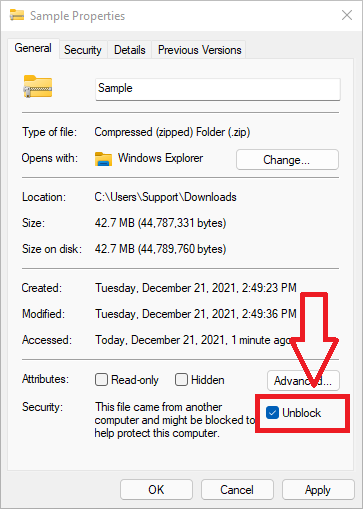
Click on a platform above to see specific installation instructions.
After Installation
- Open DaVinci Resolve and apply Dream Sequence / Ripple Dissolve to a clip
- Click the "Start Free Trial" button in the effect controls
- Enter your email and activate your 14-day free trial
- Click "Download License" to complete activation
Having trouble? View Help & FAQ or contact support